
What it does
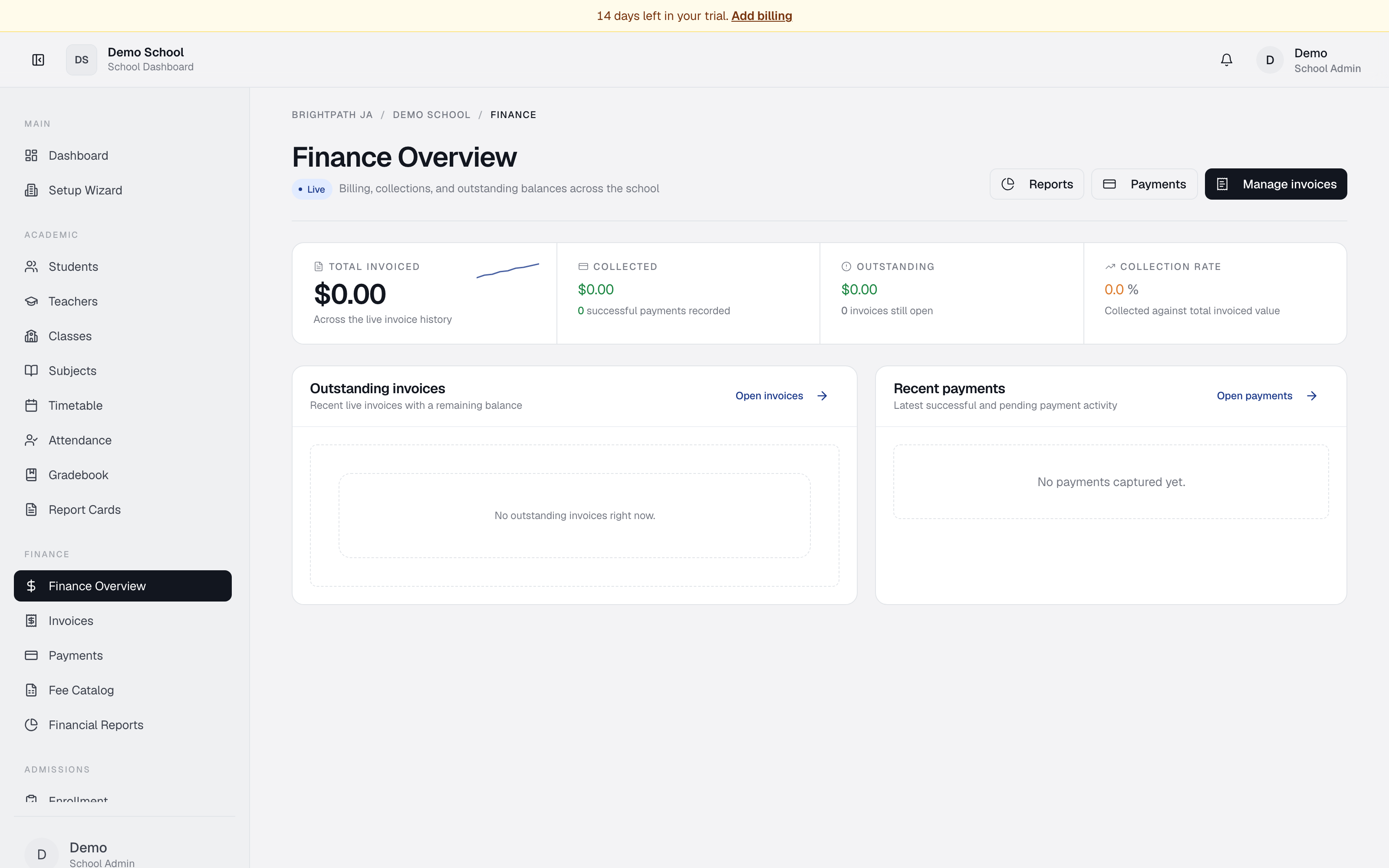
Finance Overview is a live dashboard that shows your school's billing health at a glance. It displays key financial metrics (total invoiced, collected, outstanding, collection rate), the most recent outstanding invoices with balances due, and the latest payment activity.
Who uses it
- Bursar — primary user. Checks collections daily, monitors outstanding balances, and uses quick-links to manage invoices and record payments.
- Principal / School Admin — reviews school-wide billing metrics and collection rates.
- Auditor — verifies financial summaries and drills into supporting invoices and payments.
Common tasks
Check your billing health
The four KPI cards at the top show:
- Total invoiced — sum of all invoices issued this year.
- Collected — amount paid; also shows count of successful payments.
- Outstanding — remaining balance across all open invoices, plus count.
- Collection rate — percentage of total invoiced that has been collected.
Review outstanding invoices
Scroll to Outstanding invoices on the left. The 5 most recent invoices with a balance due appear, showing invoice number, student, amount, and status (Paid / Unpaid / Overdue). Click Open invoices to see the full list.
Check recent payments
Scroll to Recent payments on the right. The 5 most recent transactions appear — student, amount, method, date. Click Open payments to see the full ledger.
Navigate to other finance modules
Use the buttons in the top right:
- Reports — Financial Reports (charts, aging, collection rates by grade).
- Payments — record manual payments or process online card payments.
- Manage invoices — open the Invoices module.
Troubleshooting
- Collection rate is 0% — no invoices issued yet or no successful payments recorded.
- Outstanding balance looks wrong — verify payments are recorded against the right invoice. Unpaid or partially paid invoices add to outstanding.
- Can't see an expected invoice/payment — only the last 5 of each appear here. Click Open invoices / Open payments for older records.
Limits & known issues
- Metrics are live but may take 30 seconds to refresh after a payment.
- Currency is JMD; multi-currency display is not yet supported.