
What it does
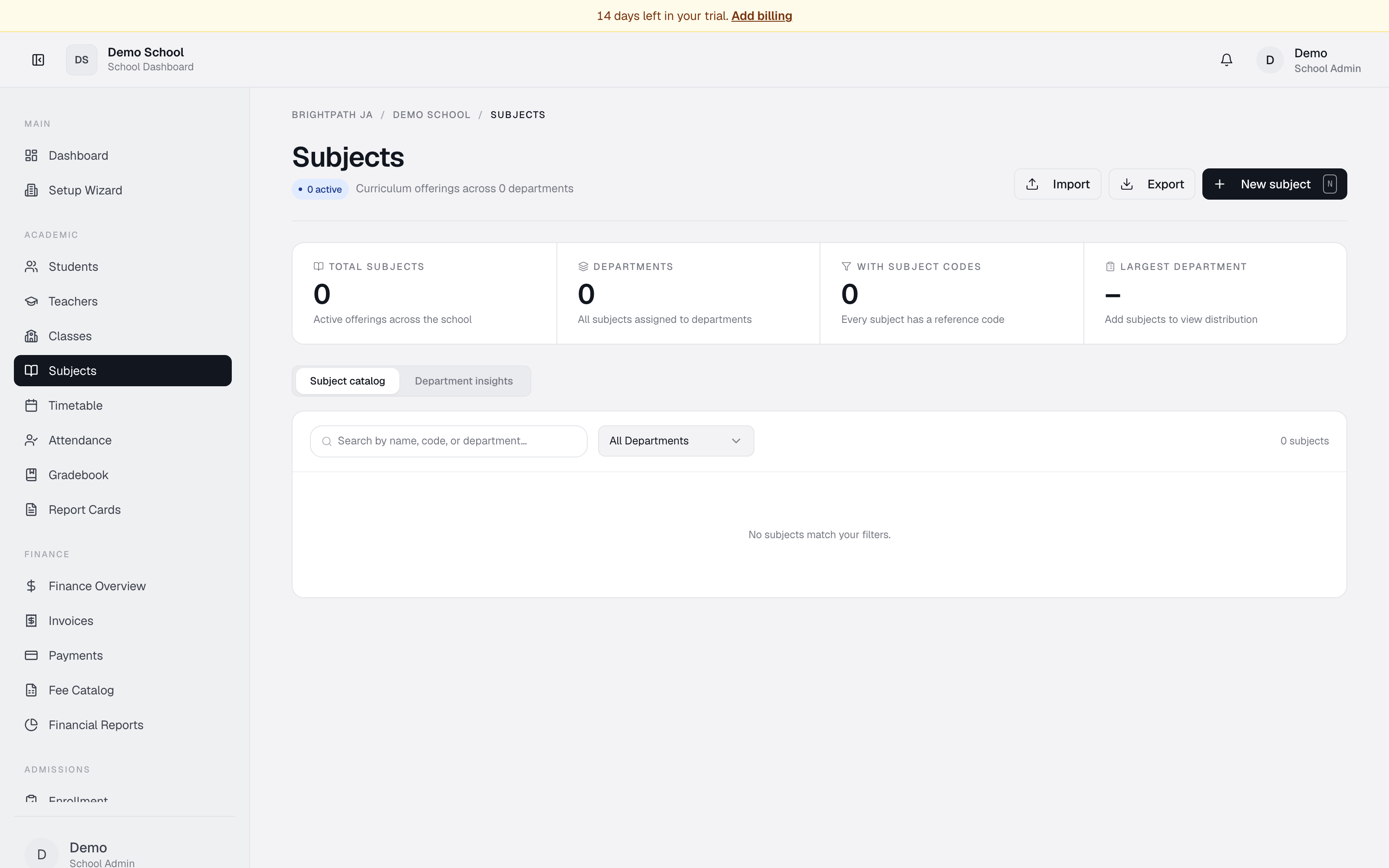
The Subjects page lets you manage the school's curriculum offerings. Add subjects, assign them to departments, track which subjects have subject codes, and view department-level insights. The page provides a catalog view and a department breakdown report.
Who uses it
- Principal — monitor total subject count and department distribution.
- Registrar — add and edit subjects; assign them to departments.
- Head of Department (HOD) — view and refine subjects within their department.
Common tasks
View the subject catalog
The page opens on Subject catalog showing all subjects in a table.
- Total subjects — count of active subjects.
- Departments — count of departments and any unassigned subjects.
- With subject codes — how many have reference codes.
- Largest department — top department by subject count.
Columns: Subject, Code, Department (colored pill), Curriculum focus.
Add a new subject
- Click New subject in the top right.
- Fill in:
- Subject name (required, e.g. "Chemistry").
- Subject code (optional, e.g. "3095" for CSEC Biology).
- Department (optional, e.g. "Sciences"; blank subjects appear as Unassigned).
- Click Save subject.
Search and filter
- Search — name, code, or department.
- Department dropdown — filter by department or select All Departments.
View department insights
- Click the Department insights tab.
- Each department shows a bar chart with subject count and percentage of catalog (e.g. "Sciences: 4 subjects · 25%").
- Below: a Governance checklist with suggested review steps before publishing the catalog.
Export subject data
Click Export in the top right to download the currently visible subjects as CSV. Columns: Subject, Code, Department, Curriculum focus.
Troubleshooting
- "Subjects need a department" warning — assign departments to subjects marked Unassigned.
- "X missing codes" warning — add subject codes if your school uses CSEC or CAPE.
- No subjects appear — click New subject to create the first one.
- Department filter shows no results — try All Departments.
Limits & known issues
- Department is optional; subjects without one are grouped as Unassigned.
- Subject code is optional but recommended for CSEC/CAPE alignment.
- Subjects in use by classes may not be deletable; check dependencies first.